
DocuFreezer is a batch file converter available for Windows 11, 10, 8.1. You can download the trial version for free to test and evaluate the software.
DocuFreezer 8.0 – Latest Release (October 14, 2026)
- Reduce the size of output PDF files (Minimize file size)
- Save output files in PDF/A, PDF/X, or PDF/E format, with support for multiple versions of each standard (PDF file format)
- Сhoose the output PDF version from PDF 1.3 to PDF 2.0 when creating regular PDF files (File version)
- Digitally sign PDF files using a certificate stored in a P12/PFX file or a security token
- Convert Zebra ZPL files locally, with no third-party web services required
- New file editing operations: PDF Remove text, Rasterize
- Ability to duplicate Edit operations using copy and paste hotkeys
- Improved Grayscale conversion for PDF files with the alternative AsposePDF engine, producing cleaner images with better detail and preserving existing searchable text
- Convert large PDF files to image formats using stripe-based processing
- Choose from seven attachment-handling options, including combining attachments with the main document or saving them separately (Attachments handling: Separate: Document and attachments, Separate: Documents and attachments (save att-s as is), etc.)
- Ability to copy attachments with a user-defined filename to a separate folder (Copy attachments by mask)
- Insert a cover page in place of an attachment of a specified type
- Limit the email subject length used in MSG and EML file names when dragging messages from Microsoft Outlook (Limit email subject length (in characters) to)
- New user-defined macro, {*Udm} for output filename templates
- Ability to modify attached file name using macros and/or arbitrary text (Attached filename template)
- New macros for MSG and EML files processing: Delivery time, Sender address, Sender name, Recipient address, Recipient name, Subject
- Use the new Post-convert operations tab to apply watermarks onto files that have just been converted, e.g., to add continuous page numbering
- Show and use the Quick Access panel for frequently used controls
- Redesigned email-header layout based on Microsoft Outlook style
- Added Persian as a new OCR language
- Preserve transparency when converting files to RGBA PNG (Pixel type: 32 (True color, RGBA))
- Added eDrawings 2026 automation for processing CAD files (DWG, DXF)
- And more
Limitations of the Trial Version
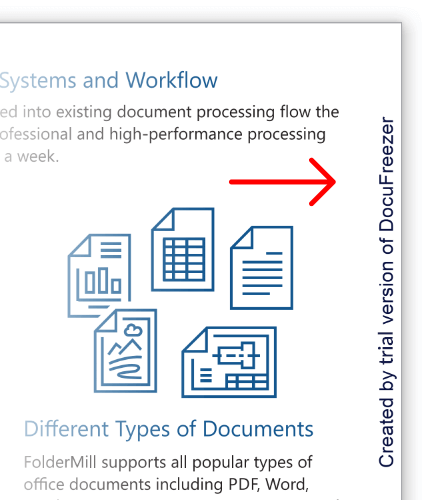
The trial version of DocuFreezer is a fully functional version of the program except that it adds a small watermark "Created by trial version of DocuFreezer" to every converted page or image. This version is intended for evaluation and testing purposes only. If you use the program regularly and/or for business needs, please consider purchasing the full version.
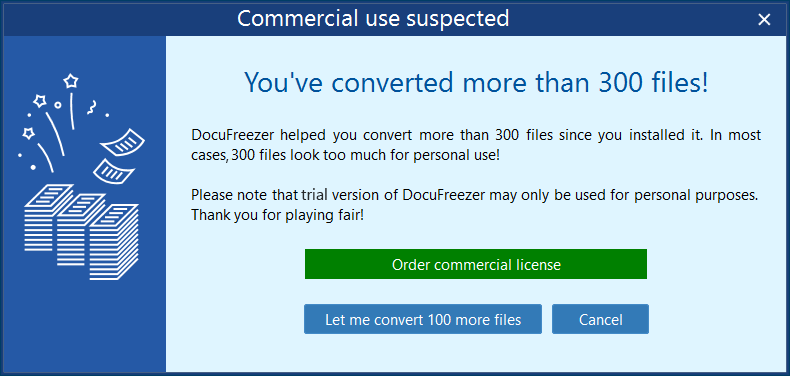
After converting more than 300 files, the software will prompt you to purchase a commercial license. Buying the full version will let you use the program with no restrictions or nag screens. Additionally, you will be receiving minor updates free of charge when they are released.
Supported Windows Versions
DocuFreezer file converter works well on 32-bit and 64-bit versions of Microsoft Windows 8, Windows 10, and 11. It also supports Microsoft Windows Server 2003, 2008, 2012, 2016, 2019, and newer versions. The program is not resource-intensive and runs stable even on low-end PCs.
Supported File Formats
DocuFreezer doesn’t require any additional software to convert PDF to JPG, TXT to PDF, or HTML to PDF. Still, you’ll need other applications installed for specific file types since DocuFreezer uses their public API. For example, ImageMagick for Apple HEIC images, Microsoft Visio for VSD, VSDX, CorelDraw for CDR, and Solid Edge for DFT drawings. Click the link below to learn about additional software in detail.
See the full list of supported formats
Recommended System Requirements
- Microsoft Windows 11 / 10 / 8 (32-bit or 64-bit system) or Microsoft Windows Server 2008 / 2012 / 2016 / 2019 or newer versions
- Intel Core i3 or AMD Athlon II X2 processor or faster processor
- 8 GB RAM or more
- Free space on hard drive: 412 MB
- Required software: Microsoft NET Framework 4.8, additional software for specific file types